Early-stage usability testing often feels like a high-stakes guessing game. You’re trying to validate design decisions before investing thousands in development, yet traditional prototyping methods either cost too much or fail to capture realistic user reactions. This is where laptop mockups transform the testing landscape entirely.
The Psychology Behind Realistic Presentation
When users see a design floating on a white canvas versus displayed on an actual laptop screen, their brains process the information differently. A laptop mockup triggers contextual thinking—users automatically imagine themselves at their desk, working with your application in their daily environment. This mental shift produces significantly more authentic feedback than abstract wireframes ever could.
Consider a SaaS dashboard redesign tested by a fintech startup last year. The first round used basic wireframes, generating lukewarm responses. The second round presented identical designs within a laptop mockup, suddenly revealing that users found the sidebar navigation “too cramped for real work.” The physical context made the usability issue impossible to ignore.
Cost-Efficiency That Changes Testing Timelines
Traditional usability testing with functional prototypes demands:
- Developer time to build interactive elements
- QA resources to ensure prototype stability
- Multiple revision cycles as issues emerge
- Expensive testing lab equipment or software licenses
A laptop mockup approach slashes this timeline dramatically. Designers simply insert static screens into professional mockup templates, creating presentation-ready materials within hours instead of weeks. Early feedback arrives when changes cost pennies rather than thousands.
How Premium Mockups Elevate Perceived Credibility
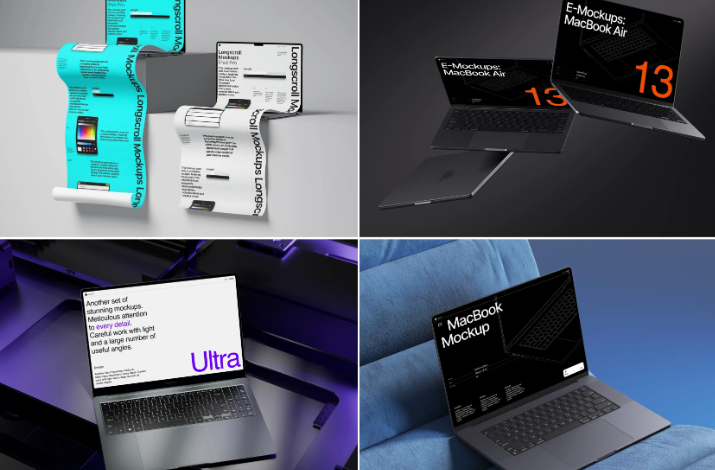
Not all mockup tools deliver equal results. Low-quality renders with obvious artificial lighting or pixelated edges actually harm usability testing by making participants focus on presentation flaws rather than design functionality. Premium resources like those on ls.graphics provide professional-grade advantages:
- Ultra-realistic rendering with accurate shadows and reflections
- Organized layers for quick customization without technical expertise
- Many different angles to match your specific testing scenarios
- Different color styles that align with diverse brand identities
- Stylish minimalistic compositions keeping focus on interface design
These features ensure your laptop mockup appears authentic enough that test participants evaluate functionality rather than questioning presentation quality. They’re very easy to use, even for designers without extensive Photoshop experience.
Real-World Testing Scenarios
An education technology company used laptop mockups to test their course management interface with actual teachers. By presenting designs on realistic laptop screens positioned on classroom desks, they discovered font sizes that seemed perfect on design files became unreadable in simulated real-world conditions. This insight prevented a disastrous launch.
Another example: A remote collaboration tool conducted hallway testing using mockups displayed on tablets. Passing employees could quickly evaluate the interface “in context” during coffee breaks, generating 400% more feedback participants than traditional lab-based sessions. The casual, realistic presentation lowered participation barriers dramatically.
Best Practices for Mockup-Based Testing
Maximizing the effectiveness of your laptop mockup testing sessions requires strategic preparation:
- Match mockup angles to typical user viewing positions—overhead perspectives for mobile-first designs, straight-on views for desktop applications
- Replace placeholder text with realistic content, as authentic copy reveals readability and comprehension issues
- Prepare multiple screen variations displaying different user states to capture complete workflow feedback
- Combine visual presentations with task-based questions that guide participants toward specific interface elements without biasing their responses
Conclusion
Early usability testing succeeds when participants can imagine themselves genuinely using your product. Laptop mockups bridge the gap between abstract design files and finished products, triggering authentic reactions that reveal real usability issues before they become expensive problems. By investing in high-quality mockup resources that offer realistic rendering and professional presentation options, you transform subjective opinions into actionable insights—all while compressing testing timelines and protecting development budgets. The question isn’t whether mockups improve early testing effectiveness, but rather how much money they’ll save on your next project.